



Container Ship Tracking: How to Follow Your Cargo Live
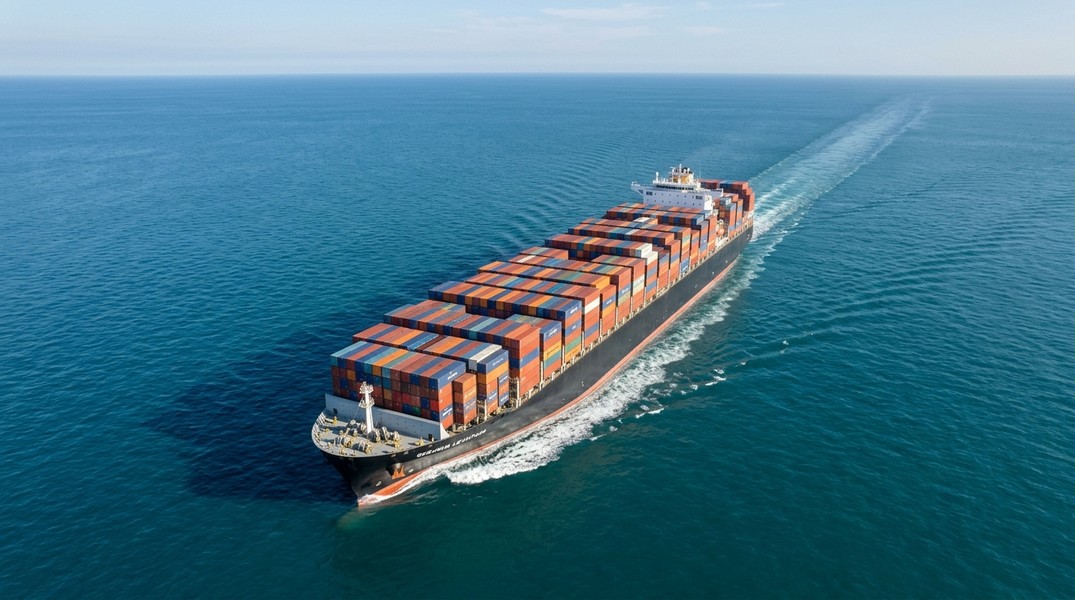
Container ship tracking lets you follow your cargo in real time using AIS data broadcast by the vessel itself. You don't need maritime experience. Every container ship legally required to carry an AIS transponder broadcasts its position, speed, destination, and ETA every few seconds. That data feeds into tracking apps where you can search by vessel name or IMO number and watch your shipment cross the ocean.
Whether you're importing goods from Shenzhen, waiting on raw materials from Hamburg, or simply curious where an MSC or Maersk vessel is right now, the process is the same. This guide covers how AIS-based cargo ship tracking works, what you'll see in a tracking app, and how to actually find and monitor your container ship live.
How Cargo Ship Tracking Works
The technology behind container ship tracking is called AIS, the Automatic Identification System that ships use to broadcast location data continuously. Every commercial vessel of 300 gross tons or more, and every cargo ship of 500 gross tons or more on domestic routes, is required by the International Maritime Organization to carry an AIS transponder. That mandate has been in place since 2004.
The AIS transponder transmits a digital burst every few seconds on two dedicated radio frequencies: 161.975 MHz and 162.025 MHz. When a ship is maneuvering, those updates can come every two seconds. Shore-based receiving stations pick up the signal, aggregate it into a database, and make it available through tracking platforms. MarineTraffic alone tracks more than 300,000 vessels per day using the largest global network of land-based AIS receivers.
For container ships on open ocean passages, satellite AIS fills coverage gaps where land-based stations can't reach. Most tracking apps handle this seamlessly in the background.
What You Can See When Tracking a Container Ship
A single AIS transmission carries more data than most people expect. When you tap on a vessel in a tracking app, you're seeing a decoded version of that broadcast:
- MMSI number: a 9-digit radio identifier unique to that vessel, similar to a phone number for the ship's radio station
- IMO number: a permanent hull identifier that stays with the ship for its entire life, even if the name or owner changes
- Vessel name and type: confirms you're looking at the right container ship
- Current GPS position: latitude and longitude updated in real time
- Speed over ground: how fast the ship is actually moving
- Course over ground: the direction it's traveling
- Navigational status: whether it's underway, anchored, or moored at a berth
- Destination: the next port of call as reported by the crew
- Estimated time of arrival: when the vessel expects to reach that destination
Premium apps also show historical track playback, live weather at the vessel's location, and port arrival and departure records across more than 4,000 ports worldwide.
Step-by-Step: How to Find Your Container Ship
Gather Your Vessel Identifiers
Before opening any app, find your vessel identifiers in your shipping documents or booking confirmation. The vessel name is the most common starting point. If you have it, also note the IMO number, which is the most reliable identifier since ship names occasionally change but IMO numbers never do.
What you're looking for is the name of the ship carrying your container, not the container number itself. Container numbers (in the format XXXX1234567) identify the box, not the vessel. You need the ship name or its IMO to track it in an AIS app.
Search in a Tracking App
Open a vessel tracking app and use the search bar to look up your ship by name or IMO number. The vessel should appear on the map with its current position marked. Click the vessel marker to pull up its full data card showing position, speed, destination, and ETA.
If you're tracking a shipment on a major line like MSC or Maersk, the ship carrying your container is one specific vessel in a fleet of hundreds. Your booking confirmation from the freight forwarder or shipping line will specify the vessel name alongside your booking or bill of lading number.
Set Up Arrival Alerts
Once you've found the vessel, most apps let you set notifications for arrival and departure events. This is where AI-powered tracking apps like Primo Nautic offer a meaningful advantage over basic AIS viewers. Instead of raw data, Primo Nautic adapts updates to your tracking purpose: if you're following a cargo shipment, the AI delivers professional, logistics-focused updates about ETA confidence, voyage progress, and delay signals rather than generic position coordinates.
Understanding Container Ship ETAs
The ETA shown in a tracking app comes from two sources, and understanding the difference matters for anyone monitoring time-sensitive cargo.
The first is the officially reported ETA, submitted by the captain or the shipping company to port authorities. This is the planned arrival time based on the vessel's scheduled route. It doesn't automatically update when the ship speeds up or slows down at sea.
The second is an AI-calculated ETA, derived from the vessel's current speed, heading, and route. Advanced apps like Primo Nautic run both calculations simultaneously, giving you a dual ETA view. If the calculated ETA drifts earlier or later than the official one, that's a signal the voyage is off schedule. You can see this before the shipping company formally updates anything.
ETAs shift for several reasons. Weather conditions at sea directly affect ship speed: rough seas slow progress and force course changes. Port congestion is another major factor; container ships sometimes anchor offshore for days waiting for a berth to open. Mechanical delays, canal transit times (such as the Suez or Panama Canal), and fuel efficiency decisions all play a role.
Most professional tracking apps display live weather data at the vessel's current location alongside position details, which gives context for why a ship might be running behind schedule.
Cargo Ship Tracking for Different Use Cases
The way you use tracking depends on what you're monitoring and why.
Small importers and e-commerce buyers tracking a single shipment typically want two things: a rough arrival date and early warning if something delays it. AIS apps deliver both. Checking the vessel every few days from departure through arrival is usually enough, with notifications set for when the ship enters the destination port.
Logistics coordinators managing multiple shipments across different vessels benefit from apps that support tracking several vessels simultaneously. The goal is spotting delay signals early enough to adjust downstream logistics: warehouse bookings, transport pickups, customer communications.
Freight customers monitoring high-value goods or time-critical deliveries need the most current ETA data available. The dual ETA approach in Primo Nautic, comparing what the captain reported against what current speed and position data suggest, is specifically useful here.
The container ship tracking workflow is the same in all cases. What changes is how often you check and how much detail you need from each update.
Cargo Ship Tracking Apps Compared
For container ships and other cargo vessels, the available tracking tools fall into two categories.
Basic AIS viewers like MyShipTracking, VesselFinder, and the free tier of MarineTraffic require no account and show position, speed, heading, and last reported destination. They answer the core question: where is the ship right now? For one-off lookups, these work fine.
AI-powered tracking apps go further. Primo Nautic is built for non-maritime users who want context, not raw coordinates. Its cargo shipment tracking purpose delivers plain-language updates about voyage progress, weather at the vessel location, and ETA confidence, adapted to someone managing a shipment rather than a maritime professional reading AIS data. The dual ETA system is particularly useful: seeing both the captain's reported arrival time and the AI-calculated estimate based on current speed gives you a clearer picture of whether your cargo is actually on track.
MarineTraffic sits closer to the professional end, with augmented reality vessel overlay, animated historical track playback, satellite AIS for open ocean coverage, and route planning tools. It's more feature-rich but also more complex for casual cargo monitoring.
The right choice depends on how frequently you track and what you need from the data. For someone checking a single shipment once a week, any basic viewer works. For ongoing cargo monitoring where you want smart notifications and plain-language updates, an app with AI interpretation adds real value.
What to Do When a Ship Goes Dark
Occasionally you'll search for a vessel and find its last reported position is hours or days old. This doesn't mean the ship is in distress. Several situations cause AIS gaps in standard land-based tracking.
The most common is simply being far from shore. Land-based AIS receivers only reach vessels within roughly 40 miles of the coast. A container ship crossing the Pacific will go quiet on standard trackers for days at a time. Satellite AIS coverage, explained in detail by ORBCOMM among others, fills these ocean gaps for premium subscribers.
A vessel might also be in a port area with dense traffic where signals overlap, temporarily suppressing individual vessel data. Anchored vessels transmit less frequently by design. If the last position shows the ship near a major port, it's likely waiting for a berth assignment.
If a vessel genuinely hasn't updated in an unusually long time and the last position wasn't near port, checking maritime news for the vessel name is a reasonable next step. But for virtually all cargo tracking scenarios, an AIS gap is a satellite coverage issue, not a problem with the ship.
Conclusion
Container ship tracking is more accessible than most cargo senders and receivers realize. AIS data is global, open, and updated in near real time. Finding your container ship takes a vessel name or IMO number and a tracking app. From there, you can monitor its live position, current speed, destination, and ETA without any maritime background.
The distinction between basic AIS viewers and AI-powered apps comes down to how you want to receive that information: raw coordinates and timestamps, or plain-language updates adapted to your specific tracking purpose. For occasional checks, free basic tools are enough. For regular cargo monitoring where you want early warning on delays and ETA shifts, an app that interprets the data for you removes friction from the process.
Most Recent Posts
Discover more articles from our blog.