



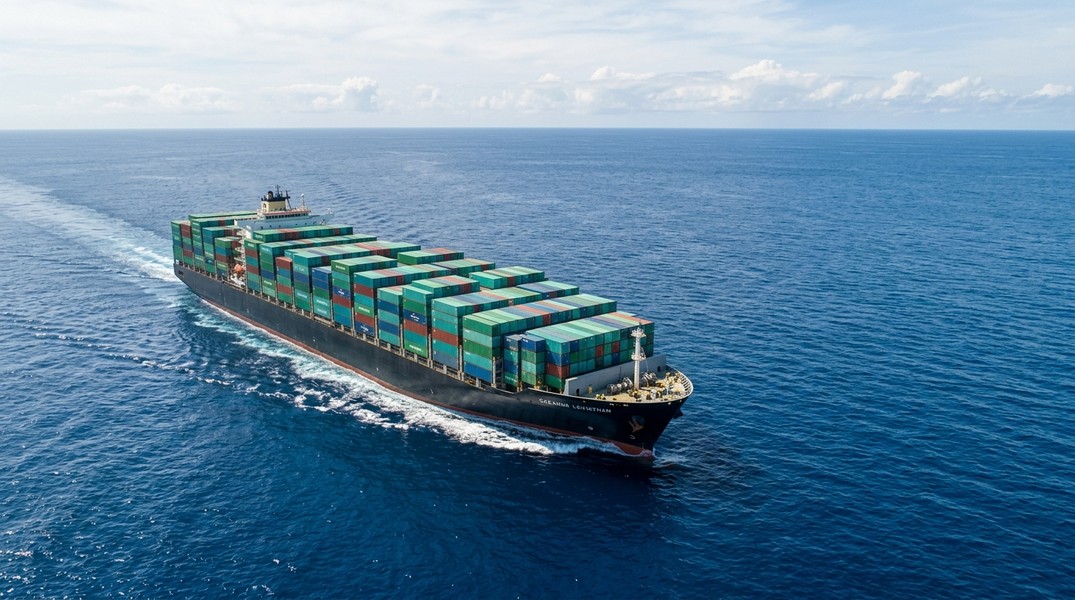
Evergreen Tracking: How to Follow Your Container Live
Evergreen tracking lets you check your container's current status and your vessel's live position using your container number, booking reference, or bill of lading through Evergreen Line's online portal or a third-party AIS tracking app.
Evergreen Line is one of the world's top-ten container carriers, operating around 170 ships across the Trans-Pacific, Asia-Europe, intra-Asian, and emerging-market trade lanes. When your cargo is aboard an Evergreen vessel, two complementary tracking systems are available: the carrier's cargo portal, which records milestone events at the container level, and AIS vessel tracking apps that show the ship's live position, speed, and estimated arrival. This guide covers both, explains what the data means, and shows how to set up alerts so you stop refreshing pages every hour.
What You Need to Start Evergreen Tracking
Before opening any tool, locate one of three identifiers from your shipping documents.
Your container number gives the most direct operational view. Container numbers follow the ISO 6346 standard: four letters followed by seven digits. The first three letters identify the owner or equipment lessor, the fourth letter is always "U" for freight containers, then a six-digit serial and a single check digit. For Evergreen equipment, common prefixes include EISU, EGHU, and EMCU. The number is printed in large characters on the container doors and sides and appears on your equipment interchange receipt and bill of lading.
Your booking number is more useful if you have multiple containers under one shipment. Evergreen's portal accepts booking numbers and returns all associated units in a single query.
Your bill of lading number is what customs teams and finance departments reference. It links your entire shipment and is generated once cargo is loaded and documents are released. Evergreen B/L numbers are alphanumeric and appear on the original or seaway bill issued by your forwarder or Evergreen directly.
How to Track Your Container on Evergreen's Website
Open Evergreen Line's official site and navigate to the e-Service or cargo tracking section. The page presents a selector: container number, booking number, or bill of lading number. Enter the identifier you have and submit.
What the Results Show
The results page displays the container's size and type, the port of loading and port of discharge, the vessel name and voyage number, and a chronological list of status events with timestamps. The event sequence follows a consistent pattern across the shipment lifecycle.
After booking, gate-in full marks when the packed container enters the export terminal. Loaded on vessel confirms the box is aboard the ship, which is also when the bill of lading can be released. If your cargo transships through a hub port, you'll see discharge and load events at the intermediate port. At the destination, discharged from vessel marks arrival in the terminal, and gate-out full records when the container leaves for delivery.
Dates are shown in local port time, so factor in time zones when scheduling trucking or customs appointments. The loaded-on-vessel and discharged-from-vessel events are the two that matter most for planning downstream logistics.
How to Track an Evergreen Vessel Live with AIS
Container status events only update when something physically happens at a port or terminal. Between those events, your cargo is at sea and the carrier portal shows nothing new. AIS vessel tracking fills that gap.
What AIS Is
AIS (Automatic Identification System) is a mandatory radio-based tracking standard for large commercial vessels. Every Evergreen ship broadcasts its position, speed, course, destination, and ETA continuously via a VHF transponder. Terrestrial receivers on coastlines capture these signals, while satellite receivers cover open ocean. AIS platforms aggregate the data into live maps searchable by vessel name.
Key AIS fields include: position (latitude and longitude), speed over ground in knots, course over ground in degrees, the destination the crew has entered, and the vessel's own ETA estimate. The ship's MMSI and IMO numbers serve as unique permanent identifiers. A vessel sitting at 0 knots is at anchor or at berth; one running at 18-22 knots is underway at normal service speed.
How to Use It
Take the vessel name from Evergreen's tracking results, for example EVER ACE or EVER LADEN. Open an AIS tracking platform, search for that vessel name, and you'll see its current position on a map, its heading, speed, destination, and reported ETA. Platforms like the Evergreen fleet map on MarineVesselTraffic list all 170 Evergreen vessels simultaneously with their departure and arrival ports, speeds, and ETAs.
Primo Nautic takes AIS data further by layering AI-generated context on top of raw coordinates. Instead of reading latitude and longitude yourself, you see how far the vessel is from the next port, what the weather conditions are at sea, and whether the ETA looks on track. The cargo-monitoring mode delivers professional, logistics-focused updates rather than generic position pings.
A few caveats: in open ocean, satellite AIS updates can arrive 30-60 minutes after the actual broadcast. The vessel's destination field is entered manually by the crew and sometimes uses abbreviated port codes or reflects a waypoint rather than the final port. Always cross-check AIS ETAs against Evergreen's schedule when planning downstream commitments.
What the Tracking Data Tells You
Combining Evergreen container tracking with AIS vessel tracking gives you a more complete picture than either source alone.
From the carrier portal, you know when your container cleared each checkpoint: terminal gate, vessel load, transshipment, discharge. These are the events that govern documentation, Incoterms risk transfer, and customs timing.
From AIS, you know where the ship is right now and whether its current pace aligns with the scheduled arrival. A vessel anchored off a congested port tells you your cargo is waiting before Evergreen has posted a new event. A vessel running at speed with a destination matching your port confirms the ocean leg is proceeding normally.
Port congestion data reinforces why this dual approach matters. Congestion index data shows global port flow scores can shift meaningfully within two-week windows, which directly affects when discharged containers can actually leave the terminal. AIS gives you advance visibility of anchor queues at your destination port before the vessel even arrives, so you can build a realistic buffer rather than trusting a fixed ETA.
The Ever Given grounding in the Suez Canal in 2021 remains the most striking example of why vessel tracking matters. When that Evergreen-operated vessel ran aground, thousands of cargo owners had containers aboard a ship that wasn't moving. Evergreen's portal couldn't explain what was happening. AIS maps showed the vessel stuck across the canal, giving shippers situational awareness to start planning alternatives days before official carrier communications caught up.
How to Set Up Alerts and Notifications
Refreshing a tracking page repeatedly wastes time. Three approaches automate updates.
Evergreen's e-service portal lets registered users save containers or bookings to a watch list and receive email alerts for key events. Departure, arrival, and transshipment notifications are typically available. Setup takes a few minutes after creating an Evergreen account. Check the portal's notification settings for the latest options.
Your freight forwarder or logistics platform is the second path. Most forwarders ingest carrier tracking data and surface it through their own dashboards with configurable alerts. This works well if you're tracking across multiple carriers, since it normalizes events into a single feed. The container ship tracking guide covers multi-carrier visibility setups for shippers managing several liner relationships.
AIS vessel tracking apps offer a third layer of alerts tied to vessel movement rather than container events. Primo Nautic lets you follow an Evergreen vessel and receive push notifications when it departs, when its ETA shifts, or when conditions at sea change. For a time-sensitive shipment, combining carrier event alerts with vessel movement alerts gives you the earliest possible warning of any disruption.
Common Evergreen Tracking Problems
Container Number Not Found
The most common cause is a typo in the prefix or serial digits. Check the bill of lading or booking confirmation for the exact format and re-enter carefully. If the booking is very recent, the first tracking event may not have been posted yet; wait until the container has gated in at the export terminal, then try again. In some cases, the container is on an alliance-shared vessel where another carrier issued the B/L; confirm with your forwarder which carrier to track with.
Vessel Position Not Updating
When a ship is in open ocean far from terrestrial receivers, satellite AIS is the only data source and updates can be sparse. A vessel that looks stationary for an hour in the mid-Pacific is almost certainly still sailing. Check another AIS platform to confirm, or use the last known speed and course to estimate its current position.
Status Events Delayed
Terminal systems don't always post events the moment they happen. The gap between physical activity and portal update can be several hours. If your cargo timeline is tight, use AIS vessel position data to estimate the discharge timing and plan accordingly, rather than waiting for the carrier event to appear. For tracking across other top-tier carriers, the CMA CGM guide walks through the same dual-tracking approach with comparable status terminology.
Conclusion
Evergreen tracking works best when you run two systems in parallel. Use Evergreen's container tracking portal for milestone events (gate-in, loaded on vessel, discharged, delivery) and an AIS vessel tracking app for real-time ship position and ETA between those milestones. Container numbers give the most specific operational data; bill of lading numbers connect the full shipment for customs and finance. Set up email alerts through Evergreen's portal for container events, and vessel notifications through an AIS app for live movement tracking, and you'll have an accurate, continuous view of where your cargo is from loading port to final delivery.
Most Recent Posts
Discover more articles from our blog.