



Oil Tanker Tracker: How to Track Any Tanker Live
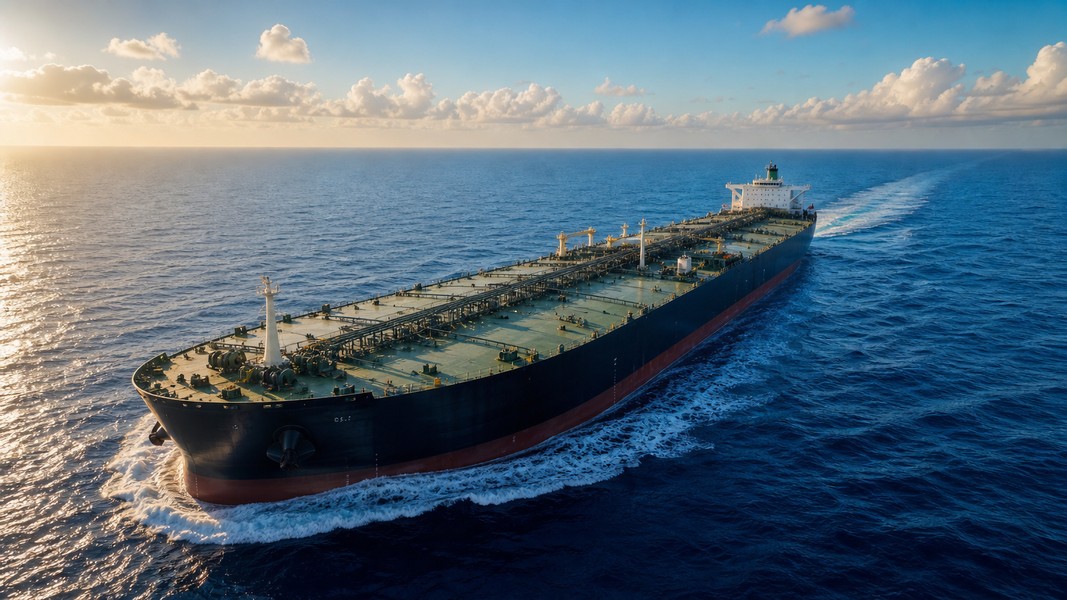
Oil tanker tracking means following a vessel's real-time position, speed, course, and voyage data on a live map powered by AIS (Automatic Identification System) signals. Every large tanker broadcasts its location continuously, and free tools let you tap into that data stream to follow any tanker in the world, from VLCCs loading crude in the Persian Gulf to Aframax tankers on short runs in the North Sea.
This guide covers exactly how to do it: what technology makes oil tanker tracking possible, how to find and follow any tanker using its IMO number, and how to read the data you see on screen.
Why Oil Tanker Tracking Matters
People come to oil tanker tracking for very different reasons, and all of them are legitimate.
Traders and supply chain analysts watch tanker movements because crude flows reveal demand patterns before official statistics catch up. When dozens of VLCCs are loading at Ras Tanura or queuing off Singapore, it shows up on a live map before it shows up in a market report. The connection between tanker deployment and oil price expectations is real: dedicated financial instruments track the future cost of transporting crude oil as a proxy for energy demand.
Geopolitics drives another wave of interest. During tensions in the Strait of Hormuz, seized vessels in the Gulf of Oman, or sanctions on Russian crude, journalists and researchers watch tankers for AIS dark periods, sudden diversions, and unusual port calls. A ship that goes silent near a sanctioned export terminal tells its own story.
Ship enthusiasts follow oil tankers the same way aviation fans track aircraft: looking for famous vessels, watching transits of chokepoints, counting VLCCs at anchor. Ultra-large crude carriers can exceed 1,300 feet in length, longer than the height of the Empire State Building, and a single vessel can hold more than two million barrels of crude oil. That kind of scale attracts genuine curiosity from people who have never set foot on a vessel.
How Oil Tanker Tracking Works
Every large tanker carries a Class A AIS transponder, mandatory under IMO safety rules for all cargo vessels above 300 gross tons on international voyages. Class A transponders broadcast at higher power than the Class B units smaller vessels use, with position updates every few seconds while underway and less frequently when moored or at anchor.
Those VHF radio signals are picked up by terrestrial receivers near coasts and ports. On the open ocean, where VHF range falls short, satellite AIS receivers collect the same broadcasts from orbit. Tracking platforms combine both sources into a global live map. That is why you can follow a VLCC mid-Atlantic or watch a Suezmax rounding the Cape of Good Hope, not just vessels in coastal waters.
Each AIS message contains the tanker's MMSI number, IMO number, name, position, speed, heading, destination, and ETA. That single broadcast carries everything you need to identify and follow any tanker on the ocean. For a deeper look at the technology, see the full explainer on how AIS works across all vessel types.
What You'll Need Before You Start
Basic oil tanker tracking requires nothing beyond a web browser or a ship tracking app. For the most reliable search method, have the tanker's IMO number ready. You can find it in news articles, ship-spotter forums, shipping databases, or brokerage reports. A free account on most tracking platforms unlocks voyage history and port call tabs beyond the basic live map view.
How to Track an Oil Tanker Live: Step by Step
Step 1: Get the tanker's IMO number or exact name
The IMO number is a permanent, unique identifier that never changes regardless of name or flag changes. It's the most reliable way to find a specific vessel. If you're following a tanker from a news story, the IMO is usually listed alongside the ship name. Search by IMO when you can; search by name only when you don't have the number.
Step 2: Open a tanker tracker live map
Use a platform that aggregates both terrestrial and satellite AIS data. Open the global map view and you'll see hundreds of vessel markers moving in real time, with tankers represented by their own ship-type icons. Most platforms allow free access to the live layer without registration.
Step 3: Search by IMO or ship name
In the search bar, type the IMO number directly (for example, 9717113) and select the matching vessel from the results. This eliminates confusion from ships with similar names. If you only have the name, type it exactly and filter by ship type to isolate crude oil tankers or product tankers from other results.
Step 4: Open the vessel profile
Click the tanker to open its full profile. You'll see its live position on the map, basic specifications (deadweight tonnage, length, flag, build year), current speed and heading, and the crew-reported destination and ETA. Understanding the difference between tanker size classes helps you immediately place the vessel in context: a 300,000 DWT VLCC on a Middle East-to-Asia run behaves very differently from a 40,000 DWT product tanker on a regional route.
Step 5: Check the voyage and port call history
Switch to the voyages or port calls tab to see where the tanker has called recently. This reveals its trading pattern quickly. A VLCC that repeatedly loads at Basrah and discharges at ports in South Korea or China is firmly on the Middle East-Asia crude route. Seeing that pattern unfold over several voyages is more informative than any single position data point.
Step 6: Save the vessel and set alerts
Most platforms let you add tankers to a watchlist and receive notifications for arrivals, departures, and AIS status changes. This is where a purpose-built app like Primo Nautic adds meaningful value: instead of checking raw position data yourself, you get plain-language updates that explain what the tanker's movements mean, with live weather at the vessel's location and a calculated ETA alongside the crew-reported one.
Reading the AIS Data on Your Oil Tanker Tracker
Once you're looking at a tanker's profile, a handful of fields carry most of the meaningful information.
Destination, ETA, and What Diversions Reveal
Destination and ETA are manual entries made by the ship's crew. They reflect intent, not a guarantee. Abbreviations are common: "SGSIN" for Singapore, "CNZJG" for Zhoushan, "RTA" for Ras Tanura. "ORDER" or "TBN" (to be nominated) appears when the discharge fixture hasn't been finalized. If the destination suddenly changes from a named port to "Unknown" or a different region, check for news on sanctions, congestion, or market-price-driven diversions. These mid-voyage changes are often the most interesting signal on a tanker tracker.
Laden vs Ballast: The Distinction That Explains Everything
Draught indicates how deep the hull sits below the waterline. A higher draught means more cargo on board. You can use it as a quick proxy for laden versus ballast status before the voyage tab confirms it formally.
Laden versus ballast describes the two legs of every tanker voyage. On a laden voyage, the tanker is carrying cargo from a load port toward a discharge port. On a ballast voyage, it's repositioning without cargo, taking on seawater in dedicated ballast tanks to maintain stability on the way to the next load port. A VLCC leaving a Chinese refinery terminal heading southwest with a light draught is almost certainly running in ballast toward the Persian Gulf. The reverse, leaving Basrah with a deep draught heading east, is on a laden crude voyage. Primo Nautic labels each voyage leg automatically, so you don't need to infer the status from draught figures yourself.
Ship Type Codes
Ship type codes classify vessels in the AIS database. Crude oil tankers typically carry codes in the 82x range; product tankers fall in the 81x range. Most consumer tracking platforms translate these into plain-text labels, so you'll usually see "Crude Oil Tanker" or "Oil Products Tanker" without needing to memorize the numeric system. Where the codes matter most is when you're filtering a live map by vessel type to isolate all tankers in a given area.
Tips for Better Oil Tanker Tracking
Bookmark the vessels you follow regularly. Returning to a saved tanker avoids re-searching every session and lets you build a personal watchlist of interesting routes or specific ships.
Watch the chokepoints. The Strait of Hormuz, the Suez Canal, and the Cape of Good Hope concentrate tanker traffic more than anywhere else. Events at these points trigger immediate, visible changes in routing: a disruption at Suez sends Suezmaxes and VLCCs diverting to the much longer Cape of Good Hope route, which you can observe directly on a live map as the usual path through the Mediterranean empties out.
Combine live tracking with news. When a tanker appears in a sanctions report, an environmental incident, or a seizure story, searching by IMO immediately pulls up its current position and recent history. You can cross-reference reported behavior with actual AIS data and see whether the ship genuinely went dark, changed course, or behaved normally throughout.
For professional monitoring of multiple shipments, free tracking tiers have limits: satellite AIS coverage in remote ocean areas and voyage history beyond a few days usually require a paid subscription. Primo Nautic's credit system is designed to close that gap for personal and small-business use, offering meaningful coverage without the costs of enterprise maritime intelligence platforms.
Conclusion
Oil tanker tracking is straightforward once you understand the underlying logic. AIS data gives you real-time access to position, status, and voyage intent for every large tanker on the ocean. The practical steps are simple: get the IMO number, find the vessel on a tanker tracker live map, read its destination and draught to understand which leg of the voyage it's on, and use port call history to place it in the context of its trade route. From there, whether you're following geopolitical developments, monitoring cargo progress, or simply watching a VLCC navigate the Strait of Hormuz, the data tells a clear and readable story.
Most Recent Posts
Discover more articles from our blog.