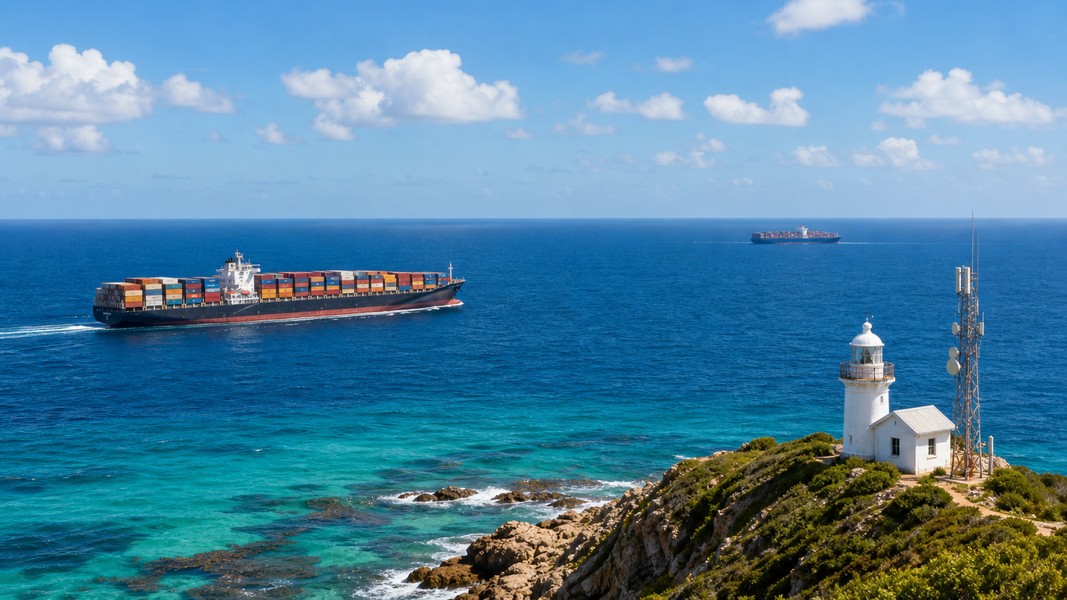





Live Vessel Tracking: Track Any Ship in Real Time
Live vessel tracking lets you see any ship's current position, speed, and heading in near real time, using AIS (Automatic Identification System) data broadcast by the vessel itself. Whether you're following a cruise ship carrying a loved one, monitoring a cargo shipment, or simply curious about the vessel passing your harbor, the process is the same: find the ship, understand what the data means, and track it for free.
This guide walks you through exactly how to do that, step by step.
What You'll Need Before You Start
Before you search, gather what you know about the vessel:
- Ship name: The official name as it appears on maritime documents or your booking. Exact spelling matters.
- MMSI or IMO number: A unique identifier that eliminates guesswork when names are common. The MMSI is the ship's 9-digit radio ID; the IMO is a permanent 7-digit vessel number (often written as "IMO 1234567").
- Route or flag state: Helps narrow down duplicates if the name is shared by multiple ships.
You don't need all three. A name alone usually works. But having the MMSI or IMO ready saves time when the name search returns multiple results.
Step 1: Understand How Live Vessel Tracking Works
Live vessel tracking is built on AIS signals: digital radio messages broadcast by ships on VHF maritime channels. Those signals carry the vessel's name, GPS position, speed, course, heading, and navigational status. Shore-based receiver networks and satellites pick up those signals and feed them to tracking platforms, which display vessels as icons on a global map.
Under the SOLAS convention, AIS is required on international ships over 300 gross tons. That covers virtually all cruise ships, cargo vessels, and tankers. Smaller boats and fishing vessels may or may not appear depending on whether they carry a transponder.
When underway, ships transmit position data every 2-10 seconds. At anchor or moored, the interval stretches to roughly 3 minutes. By the time data reaches a public tracking site, it may be 5-15 minutes old due to network processing and display refresh cycles. That is "live enough" for following a voyage, but it means you won't catch split-second changes during tight harbor maneuvers.
To understand the underlying technology, the AIS explained guide covers the full picture of how signals travel from ship to screen.
Step 2: Choose a Live Vessel Tracking Platform
Dozens of platforms aggregate live AIS vessel tracking data. The main categories are web-based tools and mobile apps.
Web platforms like MarineTraffic give you a searchable global map you can open in any browser. You search by name and click any vessel icon to see position, speed, destination, and ETA. A solid starting point for one-off lookups.
Mobile apps go further, especially for regular monitoring. Primo Nautic takes the AIS feed and adapts it to why you're tracking: families following a cruise get warm, context-rich updates about journey progress and sea conditions, while cargo shippers get logistics-focused data on ETA and any delays. That kind of purpose-based framing turns raw numbers into something actually useful for people without a maritime background.
Regional trackers also exist for specific waterways. Some cover river traffic, ferry routes, or specific ports in real time. Picking the right platform depends on whether you need global coverage, mobile notifications, or a regional focus.
Step 3: Search for Your Vessel by Name
Once you have a platform open, use the search box. Type the exact official ship name. Cruise lines use specific names like "MSC BELLISSIMA" or "NORWEGIAN ESCAPE," not nicknames or shortened versions. Cargo documentation usually lists the vessel name in the booking or bill of lading.
If you have the MMSI or IMO number, enter that instead. It goes straight to the exact vessel with no ambiguity and no duplicate results to sort through.
Most platforms return either a list of matching vessels or take you directly to the ship on the map. From there, click the vessel icon to open its data panel.
Step 4: Identify the Right Vessel
Duplicate names are a genuine challenge. Multiple vessels worldwide can share the same name, especially common ones like "SEA STAR" or "PACIFIC." Here's how to confirm you have the right ship.
Check the vessel type first. A cruise ship appears as "Passenger" in AIS data. A bulk carrier shows as "Cargo" or "Bulk Carrier." If you're tracking a cruise ship, filter for passenger vessels and discard the rest.
Use the size. A large cruise ship is typically 200 meters or more in length. A small coastal freighter or harbor tug with the same name will show much smaller dimensions in the detail panel.
Look at recent ports. Most platforms display the last ports a vessel called at. If you know the departure port, find the vessel that recently visited there.
When those methods still leave doubt, use the MMSI or IMO. Both are globally unique. Cruise lines often list the ship's IMO on their website or in booking documents. You can also look it up in official IMO ship records for free.
Step 5: Read the Live Tracking Data
Once you're on the right vessel, the data panel shows several fields worth understanding.
Position is the ship's current location in latitude and longitude, shown as a marker on the map. Most platforms place a directional arrowhead on the icon pointing in the direction of travel.
Speed over ground (SOG) is how fast the ship is moving relative to the earth, measured in knots (one knot equals about 1.15 mph or 1.85 km/h). Zero to 0.5 knots typically means the ship is moored or at anchor. Normal cruising speeds for large ships range from roughly 12 to 22 knots depending on vessel type and conditions.
Course over ground (COG) is the actual direction the ship is traveling, in degrees from 0 to 359. North is 0 (or 360), east is 90, south is 180, west is 270. Course and heading sometimes differ slightly in strong current or during a turn.
Navigational status is a text field updated by the crew: "Underway using engine," "At Anchor," "Moored," and so on. It tells you at a glance whether the ship is actively moving or stopped.
ETA and destination are voyage data manually entered by the ship's officers. The ETA gives an expected arrival date and time at the listed destination port. These fields are usually accurate but can be outdated if the voyage changed after the last update. Destination codes are often port abbreviations rather than full city names (for example, "NLRTM" for Rotterdam or "USNYC" for New York).
Step 6: Track Vessels Live for Free
Most tracking platforms give you free access to the core features: a live map, name search, and basic vessel details. That covers the majority of personal tracking needs, especially for ships near a coast.
Free tier limitations typically include delayed satellite data for open-ocean positions, a cap on detailed lookups per day, and no custom alerts. If the ship you're following is within range of terrestrial AIS receivers, free access is usually sufficient. Position data may be 10-15 minutes old at most, which is fine for checking a vessel's progress a few times a day.
Paid upgrades unlock real-time position updates with higher refresh frequency, extended historical track data to see a vessel's path over days or weeks, and most usefully, arrival and departure notifications. For a family waiting on a specific port call, notifications remove the need to manually check every hour.
The AIS tracking apps comparison breaks down the main platforms with their free and paid features side by side.
Step 7: Set Up Arrival and Departure Alerts
If you need to know when a ship arrives or departs rather than watching the map continuously, look for a watch list or alert feature on your chosen platform.
Most apps let you add a vessel as a favorite and receive a push notification when it arrives at port or leaves. Primo Nautic delivers those alerts with context adapted to your tracking purpose: a family member gets a message framed around the journey milestone, a cargo monitor gets an update tied to the expected delivery window.
Alerts are especially valuable when delays happen. Rather than repeatedly checking and wondering if a schedule change is significant, a good app flags when the ETA has shifted substantially, so you can adjust plans without anxiety.
How AI Improves on Raw Vessel Tracking Data
Raw AIS data is useful but dense. Coordinates, knot values, and three-letter status codes mean something to a maritime professional but little to most users. AI adds a layer of interpretation on top.
The main improvements: AI validates noisy AIS entries (flagging typos in manually entered destination fields, detecting impossible position jumps), converts coordinates and speeds into plain-language updates, and tailors the information to what actually matters for each tracking purpose. For a family, knowing "the ship is 80 nautical miles off Lisbon traveling at 19 knots, expected at the pier in 4 hours" is far more reassuring than a blinking dot on a map with raw numbers. For a cargo shipper, knowing a vessel has been at anchor outside a congested port for 6 hours signals a potential delay worth acting on.
That kind of purpose-specific framing is why apps built around AI insights have become the go-to for users who don't want to learn maritime data conventions before tracking a ship.
Tips for Better Results
Search by MMSI or IMO rather than name whenever possible. It eliminates duplicate confusion immediately, and both numbers are usually available on cruise booking documents or shipping invoices.
If you're tracking a vessel on an open-ocean leg and it doesn't appear on the map, check whether your platform uses satellite AIS. Terrestrial receiver networks only reach coastal areas, so a ship in the mid-Atlantic or mid-Pacific will be invisible on a terrestrial-only service.
Position data being 5-15 minutes old is normal on most free platforms. If the vessel appears to be in an unexpected location, wait a few minutes and refresh before drawing any conclusions.
For regular monitoring, save the vessel to a favorites or watch list rather than searching from scratch each time. Most apps remember your tracked vessels between sessions, and notifications do the checking automatically.
Troubleshooting: When Your Ship Doesn't Appear
A missing vessel usually means one of four things. The ship may be beyond terrestrial AIS range and your platform may not include satellite AIS in its free tier. Satellite coverage for open-ocean positions is often locked behind a paid plan. Some small vessels, private yachts, and fishing boats are not legally required to carry AIS and simply won't appear regardless of the platform. And occasionally, a vessel's transponder may be switched off for navigational or operational reasons.
If a ship should appear but doesn't, try a different platform with broader satellite AIS coverage, or search by MMSI if you have it. Different services index vessel data at different rates and may show a ship that another currently misses.
Conclusion
Live vessel tracking is accessible to anyone willing to spend a few minutes with the right tools. The process is the same regardless of your reason for tracking: search by name or unique identifier, confirm you've found the correct vessel, and read position, speed, and status from the AIS feed. Free platforms handle most personal tracking needs near coasts; AI-enhanced mobile apps extend that to open ocean and add the context that makes raw data genuinely useful for families, cargo shippers, and enthusiasts alike.
Most Recent Posts
Discover more articles from our blog.