




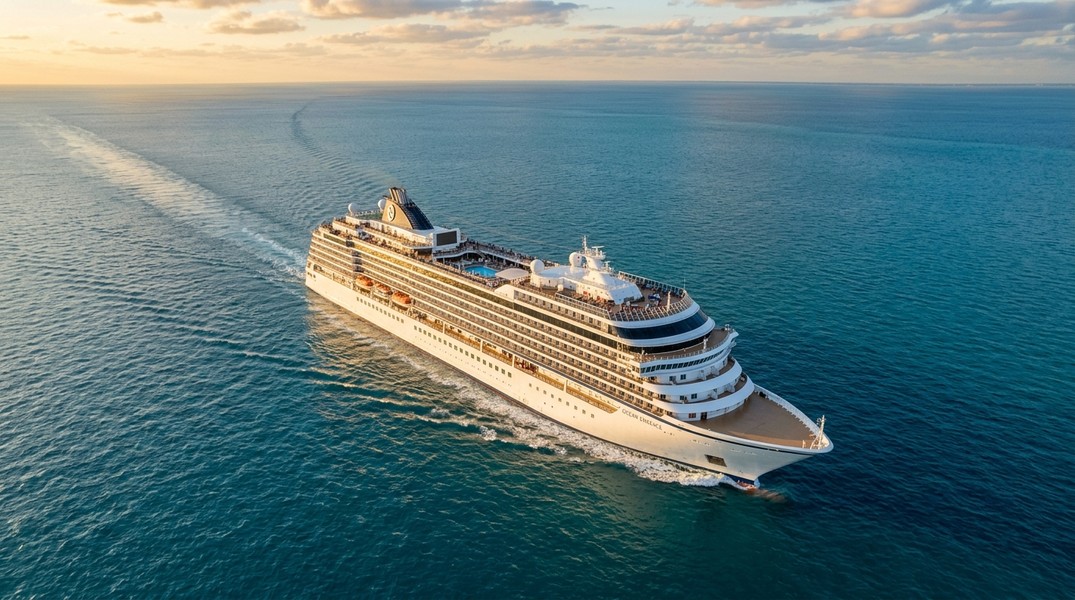
Live Cruise Ship Tracker: Best Apps to Track Ships
The best live cruise ship tracker gives you real-time position, ETA updates, and contextual information about conditions on board. Most of these apps draw from the same underlying AIS (Automatic Identification System) satellite data, but the experience varies enormously depending on whether the app was built for maritime professionals or for someone simply following a loved one across the Atlantic.
This guide compares the top options available in 2026, rated specifically for families and personal users. If you want to understand more about how to track a cruise ship before choosing a tool, that post walks through the process from scratch.
Our Top Picks at a Glance
| Rank | App | Best For | Key Strength |
|---|---|---|---|
| 1 | Primo Nautic | Families and personal trackers | AI-personalized insights + weather |
| 2 | CruiseMapper | Cruise-specific tracking | Itinerary + live position combined |
| 3 | VesselFinder | Quick, clean lookups | Accessible interface, solid free tier |
| 4 | MarineTraffic | Data-depth seekers | Most comprehensive AIS database |
| 5 | The Cruise Globe | Cruise history lovers | Personal route archive + live lookup |
How We Evaluated These Apps
We assessed each app against four criteria that matter most for personal cruise tracking. First, live data quality: does the app show accurate, up-to-date positions from verified AIS feeds? Second, interface simplicity: can a non-maritime user find what they need in under a minute? Third, context and insight: does the app go beyond raw coordinates to tell you something useful? Fourth, cruise-specific relevance: does it handle cruise ships in a way that serves families, not just fleet operators?
Pricing was not a factor in our ranking. All five apps offer a meaningful free tier, and the differences in paid features are worth comparing based on your specific use case.
#1 Primo Nautic: Best Live Cruise Ship Tracker for Families
Primo Nautic earns the top spot for one reason: it's the only live cruise ship tracker built around why you're tracking, not just what you're tracking.
Every other app on this list presents the same default professional view to every user. Primo Nautic takes a different approach. When you set up tracking for a ship, you select a purpose from six options: following a loved one on a cruise, supporting a family member working at sea, monitoring a cargo shipment, keeping tabs on your own vessel, traveling with a friend, or exploring as an enthusiast.
That choice shapes everything. The data stays the same, but the insights, the tone of alerts, and the information surfaced all adapt to your specific situation. A family member tracking a cruise gets reassuring updates about journey progress and conditions; a cargo monitor gets precise, logistics-focused data. No other app in this category offers this level of personalization.
AI Insights and Dual ETA
One of Primo Nautic's most practical features is its dual ETA system. The app shows you two arrival estimates side by side: the captain's officially reported ETA and an AI-calculated estimate based on real-time speed, heading, and route data. The difference between those two numbers often tells you more than either one alone, especially when a ship is navigating unexpected weather or port congestion.
The AI component runs on GPT-4 and adapts its language to the tracking purpose you selected. For cruise families, this means updates written in a warm, plain-English tone rather than raw maritime data fields.
Weather at the Ship's Location
Primo Nautic layers live weather data directly onto vessel tracking: temperature, wind speed, visibility, and sea state at the ship's exact position. This detail sounds minor until you're at home wondering what conditions are like for a family member at sea. No other app in this roundup surfaces weather at the vessel location by default.
Coverage and Platform
Primo Nautic uses global AIS data, tracking ships by name, MMSI number, or IMO number. The app is available on iOS and Android, with a clean mobile-first interface designed for occasional personal use rather than continuous professional monitoring.
For users coming from a general AIS background, the full comparison of available tools is worth reviewing at MarineTraffic alternatives.
#2 CruiseMapper: Best for Cruise-Specific Intelligence
CruiseMapper occupies a unique position in this category. It combines live AIS position data with published cruise line itinerary information, something none of the general maritime trackers do.
Where general AIS apps tell you where a ship is right now, CruiseMapper also tells you where it's scheduled to be, and when. For families waiting to hear that a cruise has docked at a specific port, that scheduled arrival context is often more useful than a live coordinate.
What Makes It Different
CruiseMapper pulls from cruise operators' published schedules and maps them onto live positions. You can see a ship's current location alongside its next scheduled port calls, passenger counts, and line-specific details. This removes the need to cross-reference cruise line websites separately, which is exactly what most families end up doing with general trackers.
The app focuses exclusively on cruise ships. If you're tracking a cargo vessel or a private yacht, CruiseMapper is not the right tool. Within its specific focus, the integration of itinerary data with live AIS positions is genuinely useful for the cruise-tracking use case.
Limitations to Know
Position update frequency can lag in less-covered ocean regions. The interface is primarily web-based, which works well on desktop but is less polished as a mobile experience. There is no weather integration, no AI-powered insights, and no notification system for families waiting on specific events like port arrivals.
CruiseMapper ranks second rather than first because Primo Nautic covers everything CruiseMapper does with additional layers of personalization, live weather, and mobile-native design. But for users who specifically want itinerary integration and are comfortable with a web-first tool, CruiseMapper is a strong option.
#3 VesselFinder: Best for Fast, Clean Lookups
VesselFinder is the most accessible general AIS tracker available. The interface is clean, loads quickly, and presents key vessel data without the complexity that professional platforms pile on.
A basic lookup on VesselFinder gives you current position, speed, heading, last port, and next destination. The map is intuitive, search works reliably, and the mobile app reflects the same simplicity as the desktop version. For a quick one-off position check, VesselFinder is fast and frictionless.
The Trade-Off
VesselFinder's strength is also its ceiling. The app presents the same default view to everyone. There are no weather overlays, no AI-driven insights, and no notifications tailored to personal tracking scenarios. Historical route data is limited on the free tier.
For families checking a ship's position occasionally, VesselFinder is a perfectly capable tool. For anyone who wants ongoing, contextual updates about a voyage over days or weeks, the lack of personalization and alert features becomes a genuine gap.
VesselFinder earns third place because it combines accessibility with reliable free data, making it the best starting point for users who want a no-frills option before committing to a more full-featured app.
#4 MarineTraffic: Best for Data Depth
MarineTraffic is the industry standard for vessel tracking. It monitors more than 300,000 vessels per day through the world's largest network of land-based AIS receivers, with satellite AIS coverage available for ships in open ocean. The platform covers over 4,000 ports and marinas globally and maintains a database of 4.5 million ship photos.
For maritime professionals, researchers, and serious enthusiasts, MarineTraffic is unmatched in data completeness. Features include animated voyage playback, augmented reality identification of vessels via camera, port arrival and departure tracking, and fleet management across devices.
Why It Ranks Fourth for Personal Use
The interface was designed for maritime professionals. For a family member checking a single ship's position, the information density becomes friction rather than value. Navigating to a specific tracked vessel requires working through menus built for fleet operators, not casual personal use.
MarineTraffic does not surface weather data at the vessel's position. Historical voyage data sits behind paid tiers. The mobile app compresses the desktop experience rather than rethinking it for personal use cases.
None of these are flaws for the audience MarineTraffic is designed to serve. For personal cruise tracking, though, the complexity outweighs the comprehensiveness. MarineTraffic is the right tool if you want the deepest possible AIS dataset, port analytics, or vessel photo archives. For straightforward cruise ship monitoring, simpler options serve better.
#5 The Cruise Globe: Best for Personal Cruise History
The Cruise Globe takes a different approach from all other apps in this roundup. Its primary feature is a personal cruise history archive: enter a ship name, your travel dates, and embarkation port, and the app maps the actual route taken using AIS satellite data.
The core features are free, with no purchase required to use the historical tracking functionality. Users can document every cruise they've taken in one place, see every nautical mile and port on a visual map, and build a lifetime logbook. The app is described by users as "genuinely fun" and a useful record of personal travel history.
A live ship location lookup feature is available alongside the archive function, making The Cruise Globe a valid option for real-time tracking. That said, the app is built around retrospective documentation rather than ongoing voyage monitoring. There are no alerts, no weather data, and no ETA features.
The Cruise Globe ranks fifth because its real-time tracking is a secondary feature rather than its core purpose. For users who also want to document their own cruise history alongside tracking a current voyage, it fills a niche none of the other apps cover.
What to Look for in a Live Cruise Ship Tracker
The right app depends on what you actually need. Here are the four questions worth asking before choosing.
Does the app track cruise ships globally, or only specific lines? Cruise line apps (Royal Caribbean, Carnival, MSC) only show their own fleets. Independent trackers using AIS data work regardless of the operator. For families tracking any cruise, an independent app is essential.
Does it show weather at the ship's position? Raw coordinates tell you where a ship is. Weather context tells you what the experience is like on board. Only Primo Nautic surfaces this by default among the apps reviewed here.
How much does the interface get in the way? Apps built for maritime professionals tend to front-load data that casual users don't need. Simpler interfaces like VesselFinder and Primo Nautic reduce the friction of a quick check.
Does it go beyond position data? ETA predictions, port arrival alerts, and contextual updates require apps to process and interpret AIS data rather than just display it. For multi-day tracking, this additional layer matters significantly.
Conclusion
Live cruise ship trackers have improved considerably in recent years, but most were designed with professionals or data-heavy enthusiasts in mind. Primo Nautic stands out by addressing a gap the others leave open: a tool built for families and personal users who want contextual, human-friendly updates rather than raw maritime data. CruiseMapper is the strongest option if itinerary integration is your primary requirement. VesselFinder and MarineTraffic serve different ends of the complexity spectrum. The Cruise Globe adds genuine value for anyone who also wants a record of their own travel history. Knowing which of these gaps matters to you points directly to the right choice.
Most Recent Posts
Discover more articles from our blog.