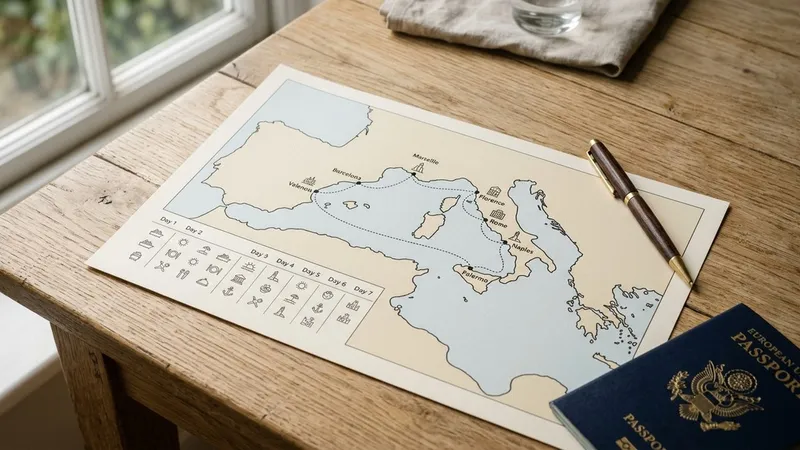

A cruise ship tracker app shows you where a loved one's ship is on a live map, which ports it's heading to, and when it's due to arrive. These apps pull data from AIS (Automatic Identification System), a maritime safety network that ships use to broadcast their position, speed, and destination. For families at home, that data becomes a practical way to stay informed without relying on spotty onboard Wi-Fi or expensive calls.
This guide covers exactly what you can and can't track with a cruise ship tracker app, which features matter for families specifically, and how to set everything up before the ship leaves port.
Why Families Use a Cruise Ship Tracker App
The cruise industry carried about 31.7 million passengers in 2023, surpassing pre-pandemic levels. CLIA projects 35.7 million ocean cruise passengers by 2027. Behind each of those travelers is at least one person at home wondering where the ship is, whether it's running on time, and what conditions look like along the route.
The anxiety makes sense. Open ocean feels genuinely remote. Onboard Wi-Fi is often expensive or inconsistent, so passengers may not message regularly. Most cruise line apps focus on the passenger experience onboard, not on giving families at home a live view of the ship's position. That gap is exactly what a ship tracker fills.
Families typically reach for a tracker for a few concrete reasons: picking someone up at port and needing advance notice if the ship is delayed, monitoring the route during hurricane season, or coordinating flights and appointments around the return date. A ship tracker doesn't replace communication with your loved one, but it gives you a reliable, independent source of information about the voyage itself. That's a meaningful layer of reassurance when messages are slow or sporadic.
What a Cruise Ship Tracker App Actually Shows
AIS was designed as a maritime safety system, not a consumer product. Ships broadcast their position and status over VHF radio to nearby vessels and coastal antennas. Tracker apps capture that broadcast data and display it on a map. What you actually see includes:
- The ship's current position, shown as a dot or icon on the map
- Speed over ground in knots, updated frequently when the ship is in range
- Course over ground, the direction it's currently traveling
- Navigation status, such as "under way using engine," "moored," or "at anchor"
- Destination as entered by the crew, along with an estimated arrival time
What you won't see is onboard conditions, individual passenger status, or perfectly continuous real-time position when the ship is far from land.
AIS coverage depends on where the ship is. Near coastlines, terrestrial antennas pick up signals every few seconds. In open ocean, coverage relies on satellites, which can have gaps of several hours between passes. During those gaps, the ship simply won't move on the map, then jump forward when the satellite picks it up again. The ship never stopped; the data did. Knowing this before you start tracking prevents unnecessary worry when the dot goes quiet.
Features That Matter Most for Family Use
Most ship tracker apps were originally built for maritime professionals who want raw data. If you're a family member, you need a different set of features than a port logistics operator does.
Plain-Language Position Updates
The raw AIS feed shows things like "COG 224°, SOG 14.8 kn, NAVSTAT 0." That's not useful for someone who doesn't work at sea. A family-focused app should translate that into something like "Sailing southwest toward Cozumel at about 17 mph." Labels like "At sea," "Docked in Nassau," and "Anchored nearby" communicate what you need to know without requiring any maritime background.
Primo Nautic takes this approach a step further. When you set your tracking purpose as "Loved One on Cruise," the app uses AI to generate warm, reassuring summaries focused on journey progress and port conditions, rather than presenting raw navigation data that requires interpretation.
ETA and Port Schedule Visibility
A family's most common question is: when exactly is the ship returning? A good tracker shows the full itinerary with scheduled port times and live updates whenever those times change. If the ETA shifts because of weather or a slower-than-expected transit, you want to know early enough to adjust pickup plans rather than arrive at the dock two hours ahead of the ship.
The dual ETA approach is particularly useful here: some apps show both the crew's reported arrival time (entered into AIS) and a separately calculated estimate based on current speed and position. When the two differ significantly, it's often the first signal that a delay is building.
Weather at the Ship's Location
Cruise routes cover thousands of miles, and weather varies dramatically along the way. A useful tracker shows conditions at the ship's actual position, not the forecast for the nearest coastal city. During hurricane season especially, seeing that a storm is developing near the route is relevant context even before the cruise line makes an official itinerary announcement.
Arrival and Departure Alerts
Re-opening an app every few hours is tiring and can add to worry rather than reduce it. Arrival and departure alerts at each port let you follow the voyage passively. You get a notification when the ship docks in Nassau, another when it leaves. Between those events, you don't have to check anything.
How to Set Up Tracking Before the Cruise
The ideal time to set everything up is two or three days before departure, while the ship is still on its current voyage. This gives you time to confirm you've found the right vessel and learn what the data looks like before you actually need it.
The one piece of information you'll need is the ship's name. Get it from the booking confirmation, the cruise line's website, or just ask the traveler before they board. If there's any ambiguity, you can also look up the IMO number or MMSI on the booking documents. These are unique identifiers that remove any doubt when cruise lines operate ships with similar names.
From there, setup takes about ten minutes:
- Search for the ship by name in the app's search bar.
- Confirm you've found the right vessel by checking the cruise line and typical operating region.
- Save or "follow" the ship so it appears on your home screen without re-searching each time.
- Configure alerts for port arrivals, departures, and significant ETA changes.
- Review the baseline itinerary so you know what normal movement looks like.
A test run is worth doing. Watch the ship on its current voyage for a day or two before your loved one boards. You'll quickly learn what normal sea-day speed looks like for that vessel (typically 10 to 18 knots for most cruise ships), how port arrivals appear, and how long the position sometimes goes quiet when the ship is far offshore.
If other family members want to follow the same voyage, most apps let you share a saved vessel or send a link. Everyone then sees the same live data without needing independent setup.
For background on what can happen if something does go wrong with timing, the overview of cruise ship delays explains the most common causes and what passengers and families typically experience.
Reading Position Data Without Maritime Experience
Several data fields appear in tracker apps that can look confusing if you've never spent time at sea. Most of it translates simply.
Speed is measured in knots, where one knot is roughly 1.15 miles per hour. For large cruise ships, normal cruising speed at sea is 10 to 20 knots. Speeds below 3 knots mean the ship is maneuvering, docking, or holding position outside a port. If the speed is near zero and the status says "moored," the ship is at the dock.
Course appears in compass degrees from 0 to 360. North is 0 (or 360); east is 90; south is 180; west is 270. Apps typically convert this to direction labels like "heading northwest" rather than displaying a raw number.
Navigation status tells you what the ship is actively doing:
- "Under way using engine" means the ship is sailing normally at sea
- "Moored" means it's tied up at a dock
- "At anchor" means it's stopped offshore, typically waiting for a berth
These three statuses cover the vast majority of what you'll see during a cruise voyage. If you see the ship's icon motionless in open water for hours, check the last recorded speed. If it was at a normal cruising speed just before the position stopped updating, you're almost certainly looking at a satellite coverage gap rather than any kind of incident. The position will update when the next satellite pass includes the ship's signal.
How to Use Notifications Without Overdoing It
The goal of notifications is to reduce how often you open the app, not to add a new stream of things to check. A useful notification strategy focuses on events that signal something meaningful: a departure, an arrival, or a significant change to the expected schedule.
Turn on alerts for the ship's departure from the embarkation port, arrivals and departures at each scheduled stop, and ETA changes of more than a couple of hours to the final port. That covers the entire voyage without generating noise from routine course corrections or normal overnight sailing.
Skip high-frequency position alerts. A ship's position changing every few minutes at sea carries no actionable information for someone at home. Most apps let you set quiet hours so overnight updates don't interrupt sleep while still allowing time-sensitive alerts to come through if the schedule shifts significantly.
The return-to-port notification is often the most useful one of all. When the ship is approaching the home port, early notice lets you coordinate pickups, check traffic, and adjust any post-cruise plans. An alert eight to twelve hours before arrival gives you exactly the lead time those arrangements require.
Primo Nautic's notification system is built for non-maritime users specifically. Alerts arrive as plain-language summaries rather than raw AIS codes, so you know what's actually happening without needing to interpret navigation data yourself. If you want to understand what to expect before committing to a paid tier, our guide to what free trackers offer walks through the practical differences.
Conclusion
A cruise ship tracker app gives families a reliable, independent source of information during a voyage. You can see the ship's position on a map, follow its progress through each port, and receive early notice when timing changes. What you can't see is continuous real-time position in open ocean (AIS has coverage gaps), onboard conditions, or anything about individual passengers.
For most families, the features that matter are plain-language position summaries, ETA visibility for the final port, and arrival and departure alerts that work passively in the background. Set up tracking a few days before the cruise, confirm the ship name, configure notifications around meaningful milestones rather than every minor movement, and then let the app do the watching. That setup keeps you informed without turning ship-watching into its own source of anxiety.